MitoADAPT MIN Review: Is Mito’s Compact 8-Wavelength Panel Worth It?
The MitoADAPT MIN 4.0 packs eight wavelengths and 11 light modes into Mito Red Light’s smallest ADAPT panel. At $549, it brings the same wavelength selection as the larger models to a tabletop design you can use for facial sessions and smaller body areas.
But there’s more to choosing an at-home red light therapy panel than counting wavelengths. This MitoADAPT MIN review takes a closer look at the extra settings and compact size, so you can decide whether it’s the right desktop red light therapy panel for you.
MitoADAPT MIN 4.0 Review at a Glance
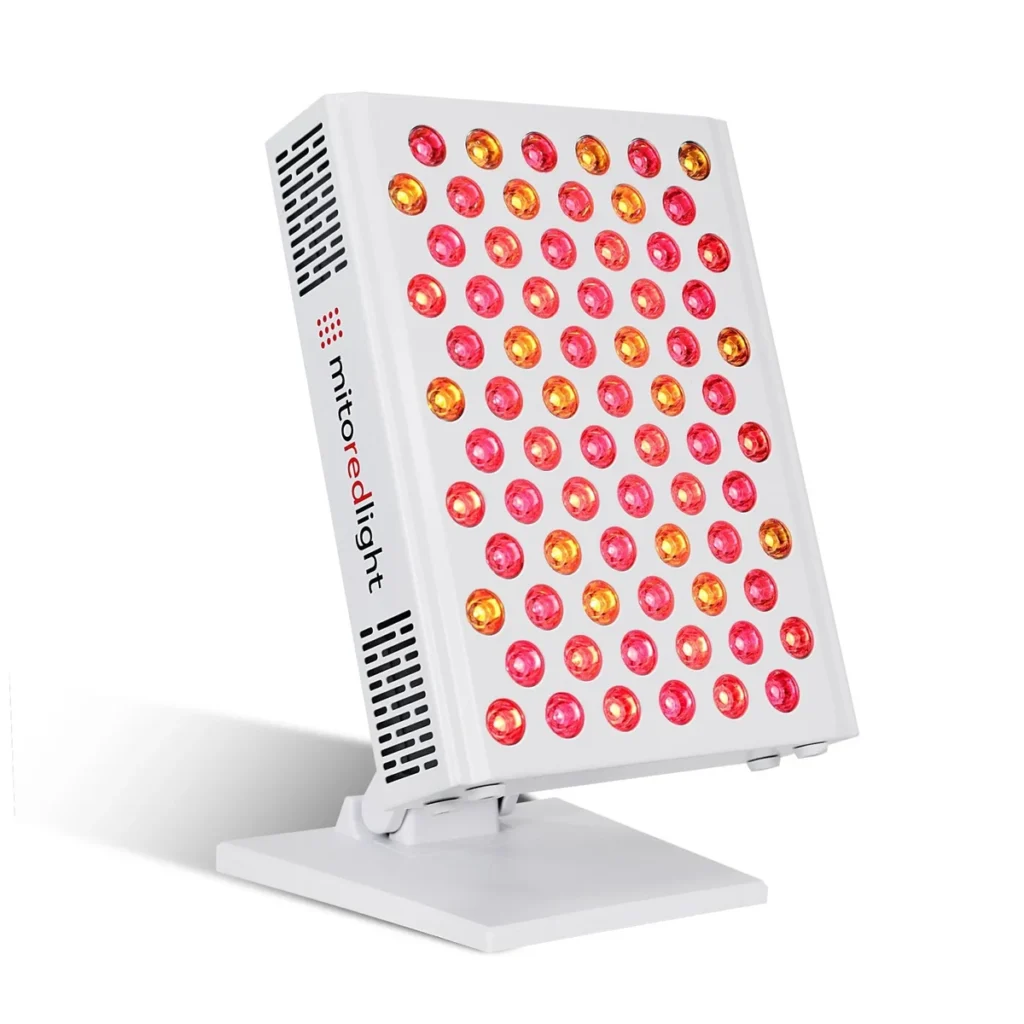
MitoADAPT MIN 4.0 Red Light Therapy Panel
A compact tabletop panel with eight wavelengths and 11 light modes, giving you more control over facial sessions and smaller body areas. The included stand makes it easy to find a place for it at home.
Check Today’s Price| Best for | Face and neck sessions, with the option to reposition the panel for smaller areas such as your hands or a knee. |
|---|---|
| Wavelengths | 590 nm amber; 630, 660, and 670 nm red; 810, 830, 850, and 940 nm near-infrared. |
| Light modes | 11 preset combinations let you select visible light without NIR, NIR alone, or a blend of both. |
| Size and weight | Approximately 9 inches wide by 12 inches tall and 9 pounds, according to Mito’s product page. Panel dimensions aren’t a measured treatment area. |
| Controls | Touchscreen control for mode, brightness, and session time. The optional Bluetooth app records your sessions. |
| Price | $549 when reviewed, including the tabletop stand and protective eyewear. |
Pros and Cons Before You Buy
Pros
- More specific wavelength combinations than a basic red/NIR switch.
- Tabletop stand and protective eyewear included.
- Essential controls work without the app.
- Can be repositioned beyond the face for smaller body areas.
What to Know
- Larger areas require repositioning or a taller panel.
- Costs $100 more than the MitoPRO 300X at listed prices.
- Multi-panel arrays are offered for the MID and MAX, rather than the MIN.
What is the MitoADAPT MIN 4.0?
The MitoADAPT MIN 4.0 is the smallest panel in Mito Red Light’s ADAPT 4.0 range. It’s a compact tabletop red light therapy panel designed for targeted use on areas such as the face, neck, hands, knees, and other smaller treatment zones.
It uses eight wavelengths across red, amber, and near-infrared light, with 11 preset light modes that let you change the wavelength combination for different sessions.
The panel also includes a side touchscreen, adjustable brightness and timer settings, pulse options, and app connectivity, although it can be operated entirely from the built-in controls.
MitoADAPT MIN 4.0 Wavelengths and 11 Light Modes
The MIN’s 11 light modes give you more control over which wavelengths are active during each session.
You can choose a red-only mode for facial use without near-infrared light, or switch to settings that combine selected red wavelengths with NIR. That flexibility lets you adjust the wavelength mix without needing a different panel.
The visible-light selection includes 590 nm amber and 630, 660, and 670 nm red light. Near-infrared options are 810, 830, 850, and 940 nm. Mito includes amber in the red-spectrum group on its controls, even though it’s a different color.
Compared with the MitoPRO 300X, the MIN adds 670 nm and 940 nm, with more preset combinations for selecting specific wavelength pairs.
Mito calls this TruDUAL chip technology. Its product specifications list 72 lenses housing 144 LED chips, with eight independent circuits enabling the preset combinations. That design is what lets you choose a narrower wavelength blend from the touchscreen.
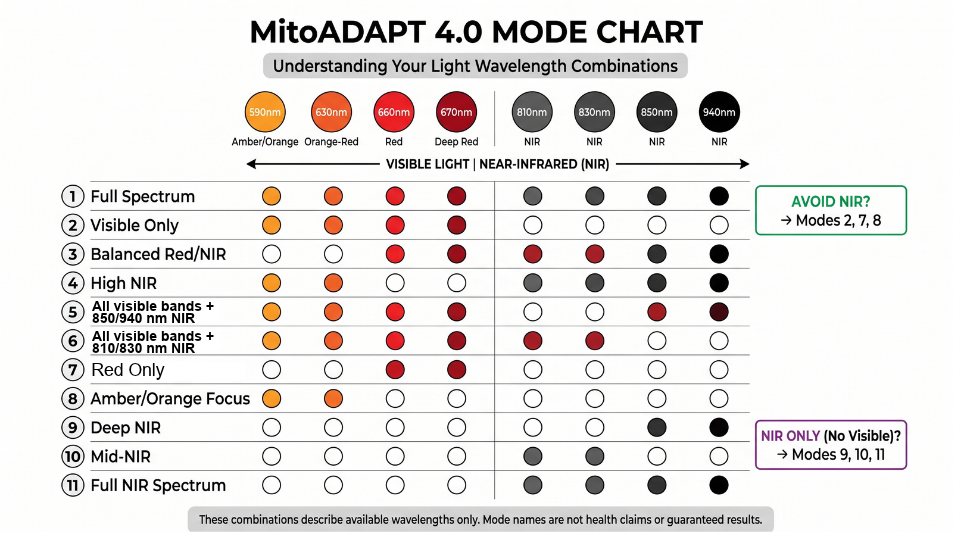
MitoADAPT 4.0 Mode Chart
The chart below shows exactly what each mode includes. If you want to avoid NIR, look at Modes 2, 7, and 8. Modes 9–11 provide near-infrared without visible light.
How to Choose a MitoADAPT Light Mode
Mito recommends starting with Mode 1, then exploring Modes 1–6 as you become familiar with the panel. Follow its first-time-use instructions before trying different combinations.
From there, you can select a red-only pair, near-infrared alone, or a blend of both, all on the same touchscreen. The presets handle the combinations for you, so you can explore the panel’s settings without programming individual wavelengths.
👉 See All MitoADAPT MIN 4.0 Features
MitoADAPT MIN for Facial and Targeted Body Sessions
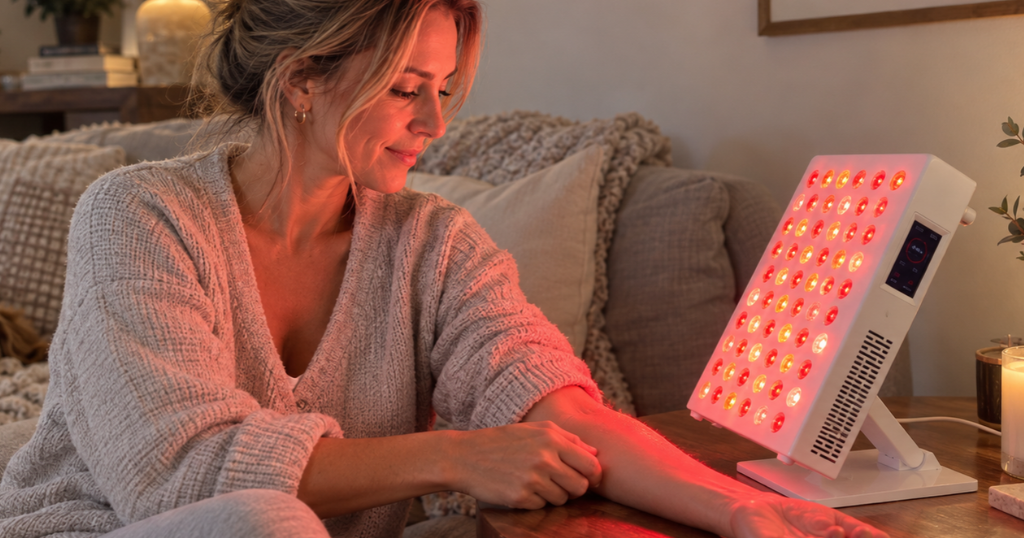
If you’re considering red light therapy for fine lines and skin texture, the MIN puts facial sessions within reach at home.
The MIN gives you more control over what reaches your skin, rather than running the same red and near-infrared mix every time.
Its 590 nm amber wavelength appears with 630 nm in Mode 8 and alongside the other visible wavelengths in Mode 2, so you can choose a visible-light-only session when you want to keep the focus on facial skincare.
That matters if you’re buying the MIN mainly for your face.
Instead of being locked into a standard 630 nm + 660 nm combo, you can switch between amber, red, deeper red wavelengths, or add near-infrared depending on the preset you choose. It gives you more room to tailor sessions without needing a second device.
The panel can also be repositioned for a knee or another smaller body area. Mito includes NIR modes aimed at muscle and joint wellness, so the MIN can be used beyond facial sessions.
MitoADAPT MIN vs an LED Face Mask
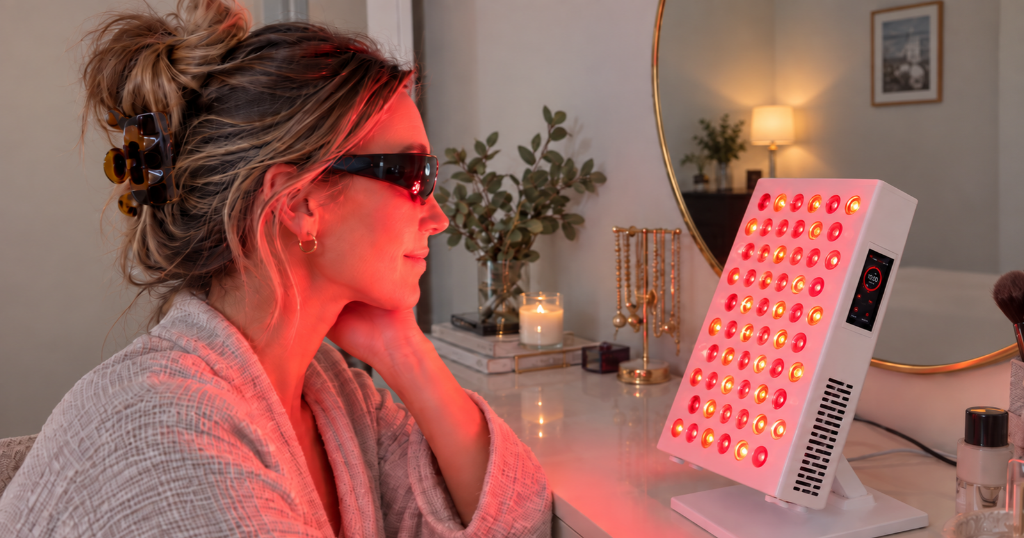
An LED face mask is designed mainly for facial skincare.
The MitoADAPT MIN can treat the face without straps or a fitted mask, which may suit people who dislike pressure around the eyes, nose, or head.
It also gives you more flexibility beyond the face. You can reposition the MIN for your neck, chest, hands, knees, or another small area, while a face mask is limited by its shape.
That said, a mask can still be more convenient if you plan to stay mobile during a session.
The MIN requires you to sit in front of the panel, but in return you get one red light therapy device that can handle both facial and targeted body sessions.
👉 See Today’s MitoADAPT MIN 4.0 Price
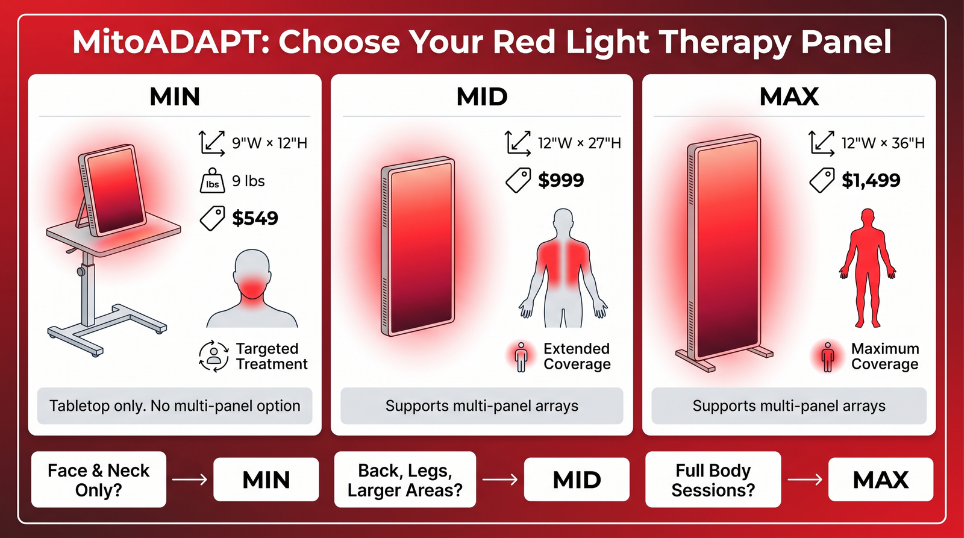
MitoADAPT MIN vs MID vs MAX: Size and Coverage
Panel size affects both placement and treatment coverage. The MIN is designed for targeted red light therapy, with an included tabletop stand that keeps the setup compact and easy to position at home.
Mito lists the MIN at about 9 inches wide by 12 inches tall and roughly 9 pounds. That size works well on a desk, dressing table, or similar surface, while the MID and MAX provide more coverage for larger body areas.
The MitoADAPT MIN 4.0 is best suited to targeted red light therapy for the face, neck, and smaller body areas. You get the full eight-wavelength ADAPT range in a compact tabletop panel, without giving up extra room to a larger panel.
If you want broader red light therapy coverage for your back, legs, or several areas in one session, the MID or MAX reduces how often you need to reposition the panel.
The MIN is the stronger choice for compact, targeted sessions, while the larger models suit buyers who want more body coverage at once.
The larger models also support multi-panel arrays. The MIN doesn’t list that expansion option, so that keeps the MIN focused on standalone tabletop use rather than a setup you can expand later.
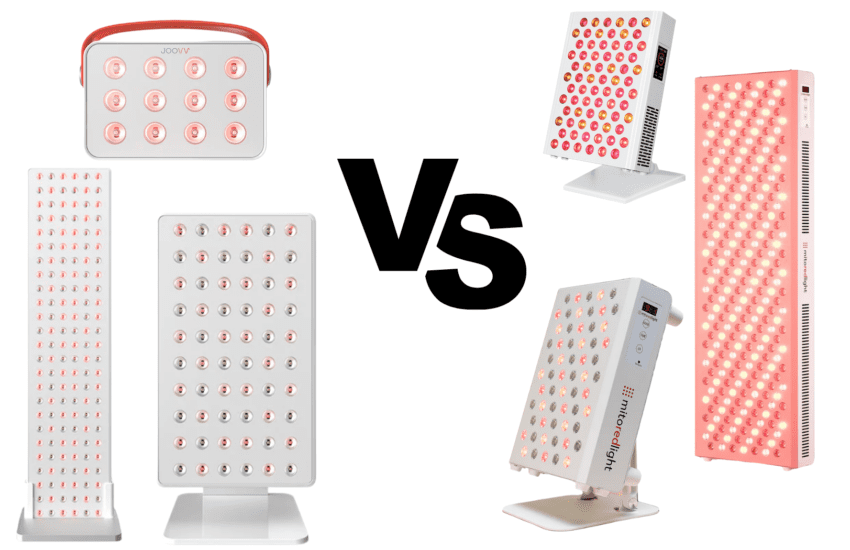
If expandability is important, my Mito Red Light vs. Joovv comparison explains how Joovv’s modular panel system compares with Mito’s standalone and multi-panel options.
For a facial session, place the panel on a stable table and choose a seat that brings your face in front of it at the instructed distance.
For your hands, move them into the light path while maintaining that distance. Adjust the position for each area and leave the cooling vents clear.
- Choose the MIN for targeted sessions. Its compact tabletop size works well for the face, neck, hands, and other smaller areas, with the stand included.
- Choose the MID for broader body coverage. The taller panel covers more area at once and also gives you the option to build a multi-panel setup later.
- Choose the MAX when coverage is the priority. Its larger format reduces repositioning further and is designed for users who want to treat bigger areas or expand into an array.
MitoADAPT MIN 4.0: Wavelengths and What Each Mode Does
The MIN uses eight wavelengths in total. You get 590nm amber, 630nm red-orange, 660nm red, 670nm deep red, plus 810nm, 830nm, 850nm, and 940nm near-infrared.
Compared with the six-wavelength MitoPRO X, the ADAPT adds 670 nm and 940 nm. It also adds 590 nm and 810 nm over the MitoPRO+.
| Mode | Wavelengths | Mito’s stated focus |
|---|---|---|
| 1 | All eight | Full-spectrum default |
| 2 | 590/630/660/670 | Skin tone, fine lines, scar support |
| 3 | 660/670 + all NIR | Face, joints, and muscle |
| 4 | 590/630 + all NIR | Neck, circulation, immune support |
| 5 | 850/940 + all red | Metabolic support and muscle recovery |
| 6 | 810/830 + all red | Energy, cognitive support, and skin |
| 7 | 660/670 | Collagen-focused skin sessions |
| 8 | 590/630 | Sensitive or reactive skin |
| 9 | 850/940 | Joints and bone-adjacent tissue |
| 10 | 810/830 | Focus, sleep rhythm, and mood |
| 11 | 810/830/850/940 | Recovery and athletic use |
These are Mito’s suggested uses for each preset, not proven outcomes for the MIN. Results can vary depending on the area treated, distance, dose, and individual response.
If 11 modes feels like overkill, you don’t need to use all of them. Mito positions Mode 7 or 2 around skin-focused sessions, Mode 9 around joints, and Mode 8 for people who want a gentler visible-light option.
MitoADAPT MIN Touchscreen and App Controls
The MitoADAPT MIN works without the app. Its built-in touchscreen puts the light modes, brightness, timer, and near-infrared pulse setting on the panel itself. Your phone can stay on the charger while you settle in for a session.
What Can You Control From the Touchscreen?
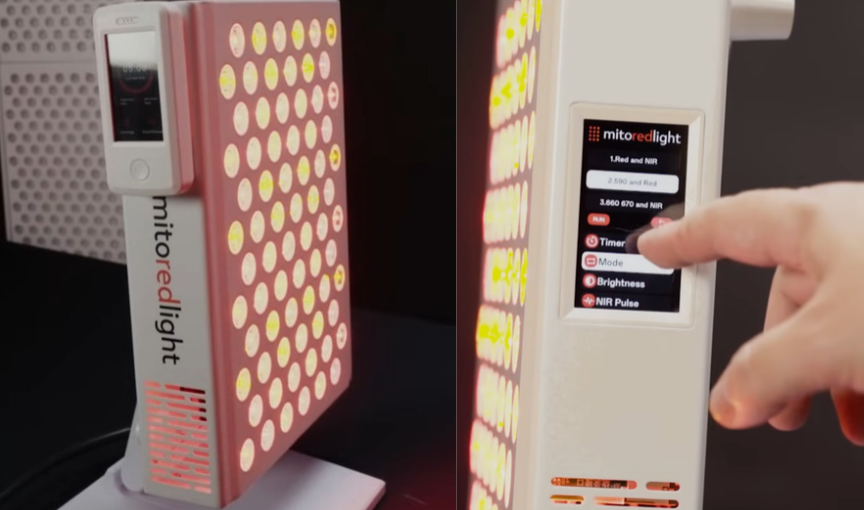
The home screen displays the timer countdown, selected mode, brightness, and NIR pulse status, with a Start/Pause button for your session. Open Settings to make changes, including switching Bluetooth on or off and adjusting the volume of the panel’s beeps.
You can choose from 11 light modes, swipe to adjust brightness, and set your session length.
The timer defaults to 10 minutes. When you switch between modes, the panel gives a 10-second demonstration before turning the light back off, so you can preview your selection before starting.
Having those controls on the panel means you can adjust a session without reaching for your phone.
How Does the 10 Hz NIR Pulse Function Work?
The MIN offers optional 10 Hz near-infrared pulsing, which switches the NIR light on and off 10 times per second. In the touchscreen’s NIR Pulse menu, select “10Hz” to enable pulsing or “Null” to turn it off. The home screen confirms which setting is active.
Pulsing is off by default and applies only to near-infrared light. The visible red light does not pulse, so you won’t see it flashing when this setting is on.
You can keep the default continuous light or select pulsing directly from the screen, without opening the app.
What Does the Mito Red Light App Add?
The optional Mito Red Light app for iOS and Android adds session tracking and lets you record feedback, giving you a place to follow your sessions over time.
Bluetooth can be switched off, and Mito says the panel has no Wi-Fi transmitter. All the controls described above remain available on the touchscreen.
How to Use the MitoADAPT MIN 4.0 at Home
For a simple starting point, follow the MitoADAPT 4.0 manual.
It recommends about 10 minutes at 12–18 inches, four to six times a week, with at least one rest day. New users should begin with shorter sessions after completing the light-sensitivity check.
To get started:
- Place the MitoADAPT MIN on a stable surface with the vents clear and enough room to maintain the recommended distance.
- Prepare your skin. Start with clean, bare skin and follow the manual’s preparation guidance.
- Check your skincare products. The MitoADAPT manual says not to use the device if you’re currently using retinol, AHAs, BHAs, or other products that can increase skin photosensitivity.
- Use the specified eye protection. Put it on before selecting your mode and starting the session.
- Track your settings. Keep a note of the mode, brightness, distance, and session time so you can repeat your session consistently.
Red Light Therapy Eye Protection and Sensitive Skin
The MIN includes opaque goggles and Mito IR3 glasses. Follow its instructions for red light therapy eye protection, and don’t stare directly into the LEDs.
If you have melasma, a light-sensitive condition, or use medication or skincare that affects light sensitivity, check with a qualified clinician before starting. Stop if irritation or an unexpected reaction develops. Switching to red-only light doesn’t rule out a skin reaction.
MitoADAPT MIN 4.0 Irradiance and Power Output
The MitoADAPT MIN 4.0 is rated at 130 watts, but irradiance is the more helpful spec for red light therapy. Independent testing measured 40.7 mW/cm² average irradiance and 56.4 mW/cm² peak irradiance at 6 inches.
Mito also lists a solar-meter reading above 125 mW/cm², but that uses a different test method.
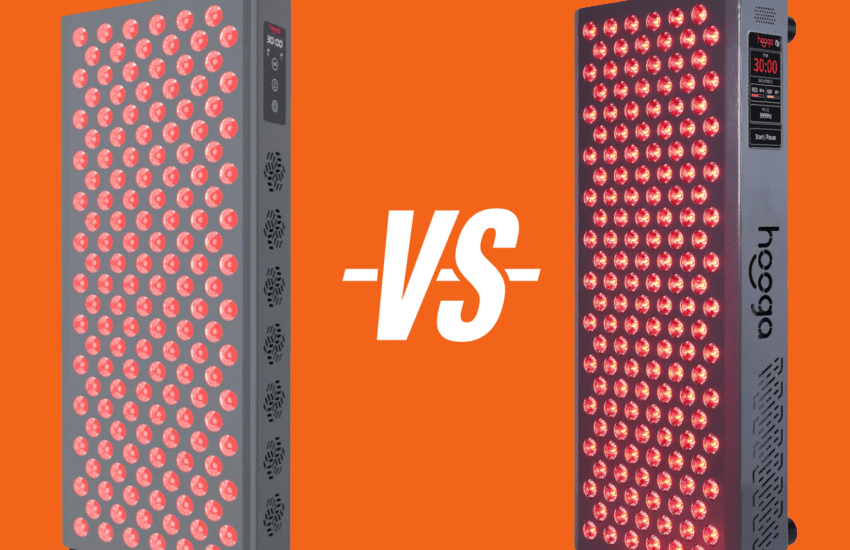
When comparing the MIN with another tabletop panel, such as the Hooga Ultra 360, match the measurement method and distance. Compare average irradiance with average, or peak with peak.
MitoADAPT MIN 4.0 Pros and Cons
The MIN gives you the full ADAPT wavelength range in Mito’s smallest panel. You get more control over wavelength combinations without moving up to a larger panel.
Pros
- Eight wavelengths: the same wavelength range used in the larger MID and MAX.
- 11 preset modes: choose visible light, NIR, or mixed wavelength combinations.
- Compact size: easier to place on a desk, dressing table, or other small surface.
- Tabletop stand included: no separate stand needed for basic tabletop use.
- No app required: brightness, timer, and light modes can all be controlled from the touchscreen.
- Bluetooth can be disabled: you can use the panel without keeping your phone connected.
Cons
- Smaller coverage: larger areas may need several panel positions.
- Higher price: costs $100 more than the 300X for the added wavelengths and mode control.
- Extra modes may be unnecessary: buyers who only want basic red and NIR sessions may not use all 11 presets.
- No listed array support: Mito offers multi-panel configurations for the MID and MAX, but not the MIN.
MitoADAPT MIN Price, Returns, and Warranty
At $549, the MitoADAPT MIN includes the tabletop stand, power cable, manual, opaque goggles, and Mito IR3 glasses. A wireless remote is listed for multi-panel purchases rather than as part of the standard MIN package.
Mito offers free standard shipping to the lower 48 states and an HSA/FSA purchasing option. Eligibility requirements apply to HSA/FSA purchases.
The MIN includes a three-year warranty for qualifying defects when purchased from Mito or an authorized reseller.
Mito covers eligible warranty return shipping for the first 180 days. After that, return shipping is the buyer’s responsibility.
For a $549 panel, the three-year coverage adds some reassurance if a hardware issue develops after the return window has closed.
Always check the latest terms before purchasing.
Is the MitoADAPT MIN 4.0 Worth the Price?
The MitoADAPT MIN 4.0 is a strong option if you want a compact red light therapy panel with more control over wavelengths and session settings. Its tabletop size works well for targeted areas, while the 11 preset modes let you switch between visible light, near-infrared, and mixed wavelength combinations.
At $549, it’s the least expensive panel in the MitoADAPT 4.0 range and includes the same eight wavelengths found in the larger MID and MAX panels.
The tabletop stand comes included, and the touchscreen controls brightness, timer, and light modes without requiring the Mito Red Light app.
If you mainly want a compact panel for targeted red light therapy and expect to use its extra settings, the MIN gives you much of the ADAPT range’s flexibility without the size or price of the larger models.
MitoADAPT MIN Review FAQs
How Long Does the MitoADAPT MIN Take to Work?
Mito estimates four to eight weeks with consistent use, though individual results vary. Take photos in the same lighting to track gradual changes, and follow the session schedule supplied with your panel.
Can You Turn Off NIR on the MitoADAPT MIN?
Yes. Modes 2, 7, and 8 leave out near-infrared light. Mode 2 includes all the visible wavelengths, while Modes 7 and 8 use narrower pairs. You can choose a visible-light session without replacing the device.
Does the MitoADAPT MIN Come With a Stand?
Yes. A tabletop stand is included in the $549 price, along with a power cable, manual, opaque goggles, and Mito IR3 glasses. Set it on a stable surface with enough room for the recommended treatment distance and clear airflow.
Do You Have to Use All 11 MitoADAPT Modes?
No. Each mode is a preset wavelength combination, so you select one for your session. Mito recommends starting with Mode 1 and following its first-time-use instructions. The other settings give you more combinations to explore as you become familiar with the panel.
This article is for general information and isn’t medical advice. Follow the device instructions and consult a qualified healthcare professional if you’re unsure whether red light therapy is suitable for you.